
How do I change my profile details?
Most of the details can be changed easily on your profile: Username, Profile picture and even the email address.
Changing my email address
Go to the "Account settings" of your account
Press "Edit" to change the email address
Insert a new email address, then insert a 6-digit email change confirmation code (sent to your updated email address) in the "Code" field
Confirm the changes by selecting "Save"
You will be automatically logged out after a successful email change
If you are using an email address that is already being used in another account, you won't be able to use it again.

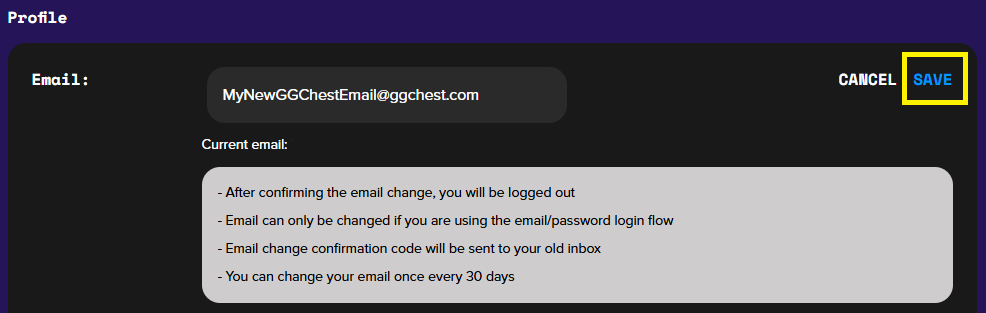
You can only change your email address if you use the email/password login flow. You can do that once every 30 days.
Adjusting email preferences
Go to the "Account settings" of your account
Go to "Email notifications" section
Move the toggle to the right or left to activate or deactivate all the notifications together or each specific notification option

Changing my Username
Go to the "Account settings" of your account
Press "Edit" to change the username
Confirm the changes by selecting "Save".
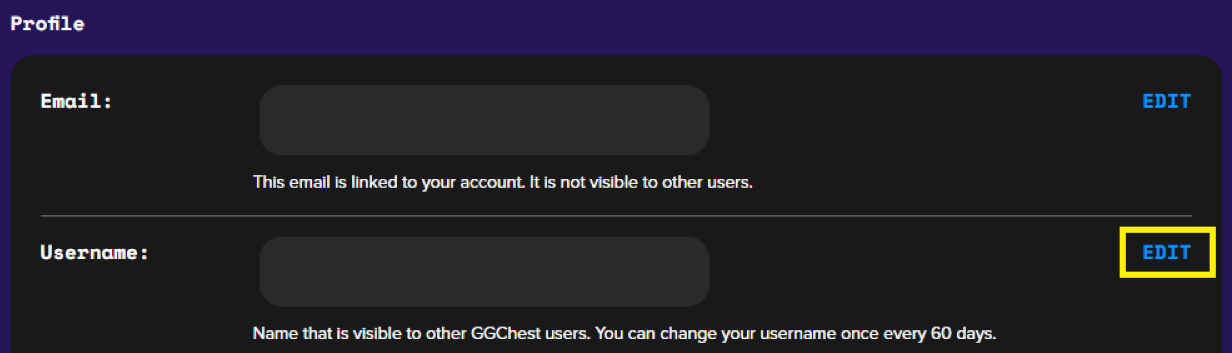
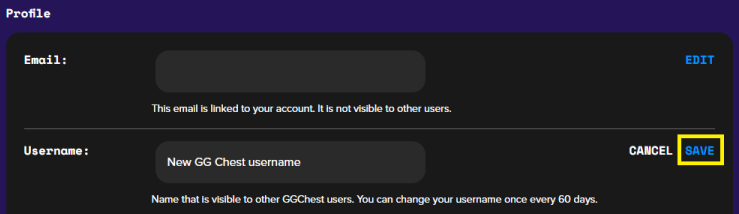
You can change your username once every 60 days.
Changing my profile picture
Go to the "Account settings" of your account
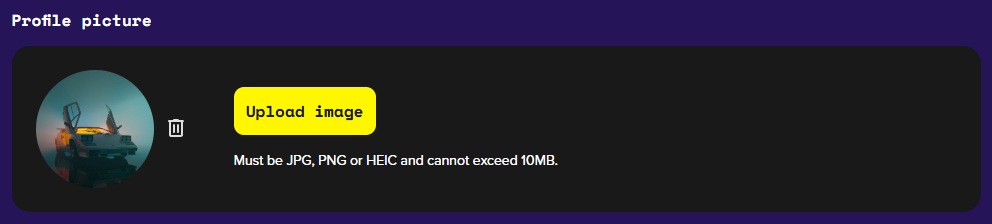
Select "Upload image"
Select a preferred photo from your device. Acceptable image files are: JPG, PNG, or HEIC. The image size cannot exceed 10MB.
If you run into any issues, our support team is available 24/7. Reach out via live chat support, or email us at support@ggchest.com any time.